AI Overview: AI tools from Roblox and Unity can turn a short description into a playable game starting point. They help beginners reach a first result faster, but a quick prototype is not a finished game. Young creators still need to test, fix, and judge their work, and AI-made code can hide problems they must learn to spot.
Last Updated: October 2026
Key Points:
- Roblox Build makes simple 2D and 2.5D games from a prompt. It is in alpha, and access varies by age and region.
- Unity’s AI tools work inside the editor as an assistant for scripts and scenes.
- A generated game still needs testing with real players.
- Platform-wide creator payouts are not what a new account earns.
A teenager types a sentence about a racing game. A playable starting point appears. The exciting part is obvious: an idea no longer has to wait for months of coding lessons before anyone can try it.
The less obvious part comes next. Does the steering feel good? Can a new player understand the goal? Does the game still work after the creator adds a shop, another level, or a second player?
That gap between making something run and making something worth playing is where this story gets interesting.
Roblox and Unity are bringing AI closer to the actual work of game development. But they offer different routes, with different limits. For young creators, the opportunity is real. So is the temptation to mistake a quick first result for a finished product. More on this world in our Games section.
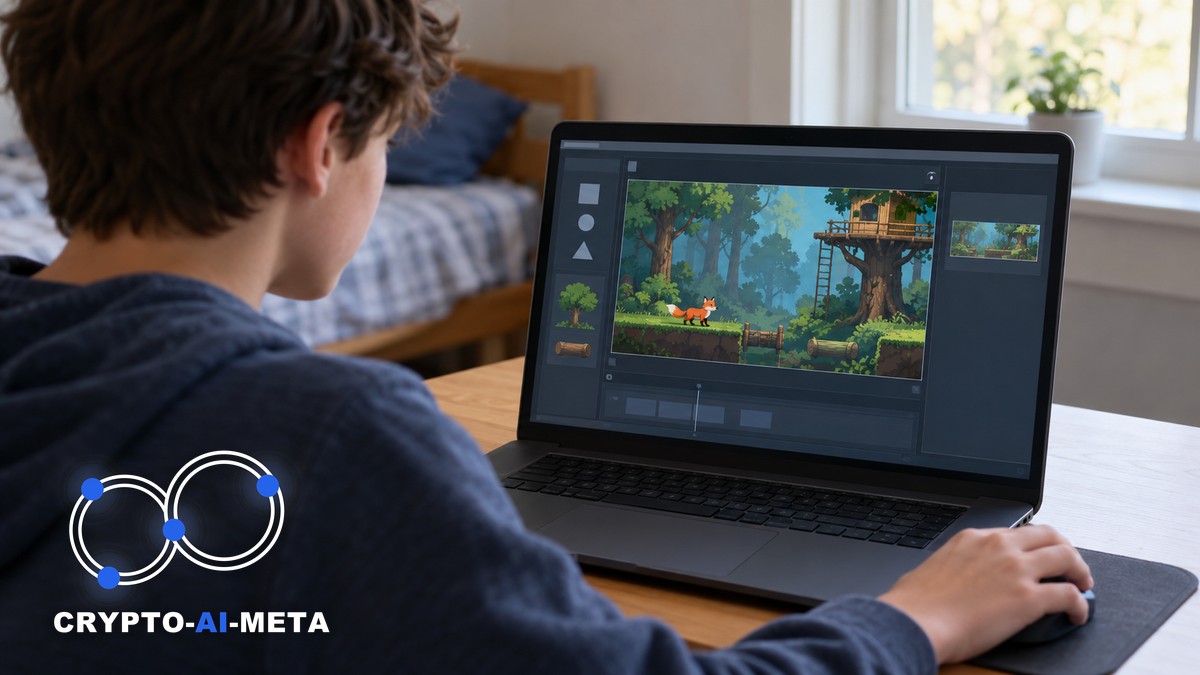
Table of Contents
What “one sentence” actually means
An AI game maker can turn a short description into code, objects, or a playable game structure. That does not mean every sentence produces the game imagined in the creator’s head.
An AI game maker builds a rough first version from your description. You still decide whether it is fun.
Think of it like ordering a sandwich. “Something delicious” leaves a lot to chance. “A toasted cheese sandwich with tomato and no onions” gives the kitchen a much better target.
Game prompts work the same way. The strongest starting request names the player’s action, the challenge, the goal, and a small scope. Style matters, but a beautiful forest is not a game until there is something worthwhile to do inside it.
Here is an original example: “Create a simple side-scrolling game where a fox jumps over logs, collects five apples, and reaches a treehouse, with one short level and a restart button.”
That sentence describes a loop someone can test. It also leaves plenty to improve. A creator can adjust the jump, move the logs, or change the number of apples without asking for an entire new world.
“One sentence” is a useful hook. The productive workflow is usually a conversation followed by careful checking.
Roblox Build: a shorter path to a first game
Roblox introduced Build in July 2026 as a way to generate basic games from prompts inside its app. The launch announcement described a starting point for further work, rather than an automatic guarantee of quality. [1]
At its September developer conference, Roblox announced expansion of the alpha beyond New Zealand to Serbia and Singapore, with desktop access among the additions. Availability still varies by age and region. [2]
The current Creator Hub guide says Build concentrates on simple 2D and 2.5D games. The latter generally mixes flat gameplay with depth or a three-dimensional look. Do not assume its advertised future 3D support is already available. [3]
For a beginner, that smaller scope can be useful. A single-screen arcade game teaches cause and effect without burying the creator under a sprawling project. A short collecting game makes it easier to see whether a rule is confusing or a reward feels too slow.
There is also a practical handoff limit: the guide says editing a Build game in Studio removes its Build status for that version. Switching tools deserves planning. [3]
The appeal is simple. A young person can begin with a game idea instead of a blank editor. That first success can create a reason to learn the tools underneath it.
The catch: Build is still an alpha. It makes simple 2D and 2.5D games, and access depends on your age and region.
Unity’s AI tools solve a different problem
Unity’s AI tools work within a development environment. Its May 2026 beta announcement describes a project-aware assistant that can write C# scripts and change scene components. These tools are distinct from the deprecated Unity Muse product. [4]
Unity’s current product page also describes ways to connect outside agents to the editor. “Unity AI” remains a useful search term, but the company now refers to individual tools rather than that collective brand. [5]
A timely addition arrived on September 16: Unity announced its official Codex plugin, combining engine-specific guidance with tools for operating Unity. This is another route to assisted development, rather than proof that any prompt creates a finished game. [9] For more on this, see Why Clash Royale Doesn’t Use Unity (Inside Supercell’s Titan).
For young creators, this is closer to having help at a workbench. The assistant can support a task, while the creator still needs to understand what the project contains and whether the result fits.
A useful request might be: “Add a restart button to this scene and explain which objects and scripts changed.” That is easier to inspect than “Build the next huge multiplayer hit.”
Unity’s documentation separates creation assistance from running neural-network models inside a game. Those are different jobs, even when both involve AI. [6]
For game development for beginners, the choice is about goals. A quick experiment and a longer learning project demand different amounts of setup, control, and patience. New to the terms? Start with the 5 layers of artificial intelligence and what a token is.
A generated object is not a complete game
Roblox’s Cube work adds another piece to the picture. Its February announcement described a beta for generating interactive objects, using defined structures called schemas. The “4D” label refers to behavior added to a 3D object, not a new physical dimension. [7]
A car that looks convincing and a car that handles well are separate achievements. The model needs parts. The game needs rules about movement, collisions, speed, and what happens when the player gets stuck.
The same distinction applies to a generated treasure chest. It may look ready, but someone still needs to decide what opens it, what it contains, and whether the reward can be claimed twice.
This is why demos deserve a careful reading. An impressive object, scene, or code sample can show real progress without proving that every surrounding system is solved.
For a young builder, the best response is curiosity. Ask what was generated, what was already prepared, and what still needed manual work. Those questions turn a flashy clip into a useful lesson.
The new advantage is learning to judge
Coding remains valuable. AI changes how quickly a beginner can reach the point where those skills have a visible purpose. The job-market side is covered in how AI agents are squeezing out junior developers.
Consider a platform game with a broken jump. A creator who understands speed, gravity, and collisions can describe the problem clearly. Someone who only knows that it feels wrong may keep generating changes without understanding why the result gets worse.
The strongest learning habit is to ask for an explanation after each meaningful edit. What changed? Why does that fix the problem? What other behavior might it affect?
Then make a small adjustment manually. Change one number. Move one obstacle. Read one short function. That turns assistance into practice rather than a replacement for it.
Over the next few years, basic game prototypes may become much cheaper to produce. The advantage could shift toward creators who can spot confusing rules, improve pacing, and listen to players. That would open doors for strong designers with limited coding experience. It could also leave beginners dependent on tools they cannot repair when a generated system fails.
A portfolio can show that judgment. Include the early version, the problem discovered in testing, and the change that made the game better. The improvement tells a richer story than a polished screenshot alone.
A first project that can actually be finished
Start with a game that has one main action. Jump. Dodge. Match. Collect. Pick one, then build a short experience around it.
An original practice project could be a rooftop delivery game. The player moves a bicycle left and right, avoids puddles, and delivers three parcels before a timer ends. Keep the first version to one route.
Begin with movement and a finish condition. Add the timer only after the controls work. Add sound only after the player can tell whether a delivery succeeded. Leave the upgrade shop for another day.
This order gives every addition a reason. It also makes problems easier to trace. If movement breaks immediately after adding an upgrade, the creator knows where to look.
Save a working copy before a large change. Ask the assistant to describe the planned edit, then inspect the result. An undo button is useful, but a clear record of working versions makes experimentation less frustrating.
The goal is a small game with a beginning, a challenge, and an ending. Finishing that is a better learning milestone than starting ten enormous projects.
Better prompts beat bigger prompts
A long prompt is not automatically a good prompt. Specific instructions beat a pile of ambitious features.
Instead of asking for a beautiful adventure with crafting, trading, pets, bosses, vehicles, and endless worlds, name one problem. “The player cannot see the next platform. Move the camera higher without changing jump height.”
Another useful pattern is expected behavior versus actual behavior. “Collecting an apple should add one point, but touching it twice adds two. Make each apple count once.”
That gives the assistant a testable target. It also helps the creator decide whether the change worked.
Avoid approving a large edit just because the explanation sounds confident. Open the changed scene, try the controls, and read the relevant code where possible. Ask for a simpler solution if the assistant creates a system far larger than the task requires.
Good prompting is really good communication. The creator supplies the goal, the constraints, and the evidence. The tool supplies a proposed implementation. Both parts matter. Long prompts also cost more; see how to stop wasting AI tokens.
Test with someone who did not build it
Creators know their own games too well. A first-time player does not know that the tiny blue object is a checkpoint or that the glowing door needs three keys.
Ask someone to play without instructions. Watch where they pause, what they miss, and when they stop enjoying themselves. Resist explaining every confusing moment. The confusion is useful evidence.
Test the restart button after losing. Try pressing two controls together. Check whether a reward appears again after rejoining. Use a smaller screen if the intended audience will play on phones.
Build’s documentation currently labels its dedicated playtesting feature as coming soon, despite also describing the intended workflow. That internal inconsistency prevents treating private testing links as confirmed available. Check the live account before planning around them. [3]
Whatever testing route is available, distinguish “the game launches” from “the game works for a new player.” A game can pass the first test and fail the second within seconds.
Write down three issues, fix the most serious one, and test again. This keeps feedback useful instead of turning every suggestion into a new feature.
What parents and teachers should focus on
The most useful adult question is not whether the child wrote every line. It is whether the child understands the important choices and can explain what changed.
A short presentation can reveal that. Ask the creator to show the main rule, demonstrate a bug, and explain a fix. Give credit for testing and clear thinking alongside visual polish.
Keep account access and spending separate from creative experimentation. Check the tool’s age conditions, confirm who controls purchases, and agree on a budget before buying extra capacity.
Roblox’s launch rules included age checks and different conditions for creating and playing Build games. Families should check current account eligibility rather than assume a child’s usual Roblox access covers every creation feature. [1]
Avoid putting real classmates’ personal information into prompts or publishing their photos without permission. Use invented characters and original settings for practice projects.
For classrooms, a shared brief works well: everyone builds the same basic challenge, then explains one improvement. That makes learning visible even when different students receive different AI results.
The business case starts with useful work
The obvious business pitch is faster production. The better question is which part becomes faster, and whether that saves money after checking and repairs.
A small team might use AI to explore several layouts before choosing one. A freelance developer might produce a rough demonstration for a client. A teacher might prepare a simple interactive exercise. These are practical possibilities, not measured promises of savings.
For a young creator, the first commercial asset may be a reliable skill rather than a hit game. Testing, explaining game rules, making original assets, and improving an awkward interface can all contribute to a team.
Keep a basic time log. Record how long generation took, how long repairs took, and whether the work was usable. A fast output that takes hours to untangle is not automatically a bargain.
More AI-made games could make player attention harder to win. Small creators may face a market where publishing is easy but discovery is expensive. That could increase pressure to buy promotion or copy popular formats. Distinctive ideas and satisfied returning players may become more valuable than the sheer number of games a team releases.
Treat a first release as an experiment. Learn whether people enjoy it before committing to a bigger budget.
Revenue, costs, and ownership need separate checks
Publishing a game does not guarantee income. Roblox’s Developer Exchange lets eligible creators exchange Earned Robux for money, subject to requirements and review. Its support page explicitly warns that success is not assured. [8]
For beginners, that matters more than a headline about huge creator payouts. Platform-wide earnings do not describe the typical outcome for a new account. AI side hustles often disappoint in the same way; read the data behind AI passive income and the lazy person’s guide to AI automation.
Budget for the entire project, including software, assets, assistance, and any promotion. Unity’s current page distinguishes paid assistant access from free connection tools; an outside agent can still have its own costs. [5]
Ownership also needs attention. For a safer original project, avoid asking for a famous franchise’s distinctive character identity just because a model can reproduce it. Keep notes on where art, audio, and code came from.
Unity says developers remain responsible for usage rights and relevant app-store declarations for generated assets. [4]
These checks help a creator answer a client’s questions and avoid rebuilding a project late in development. Original material with clear records can be a business strength, especially when a buyer wants confidence about how a game was made.
Why this matters to the wider digital economy
For CryptoAIMeta readers, the connection is the creator economy: who can produce interactive content, who owns the platform relationship, and who captures the value.
These tools do not need a token, NFT, or blockchain to be useful. Adding one would be a separate design and business decision, requiring its own justification.
The interesting shift is from passive player to active builder. A young person can test an idea, see a response, and learn how rules shape behavior. That is valuable whether the result earns money or stays a project shared with friends. Compare other creator models in Decentraland vs. The Sandbox and how NFTs secure digital ownership, and see where the metaverse is heading in why AI glasses are replacing the metaverse and Meta’s strategy for AI, the metaverse, and crypto.
Looking further ahead, AI assistants may handle more routine setup and testing across game tools. That could let small teams attempt projects once beyond their budgets. The negative possibility is a flood of similar games, unclear asset origins, and weak understanding of generated code. Better tool access alone will not solve those problems; creators will still need standards for originality and quality.
The opportunity is a faster start. The lasting value comes from what the creator learns to finish.
One sentence opens the door
Roblox and Unity point toward a world where an idea can become interactive with less friction. Their approaches differ, and the limits of each tool matter.
Young creators should start small, inspect changes, and test with real people. Parents and teachers can support that process by rewarding understanding and improvement. Businesses can judge the tools by usable results after review.
A prompt can produce the first draft of a game. The creator supplies the reason someone should come back tomorrow.
Sources
[1] Roblox. Build Without Limits on Roblox. July 16, 2026.
[2] Roblox. RDC 2026: The World Needs More Play. September 11, 2026.
[3] Roblox Creator Hub. Create games with Build. accessed October 4, 2026.
[4] Unity. Unity’s AI tools in beta: How to get started. May 5, 2026.
[5] Unity. Unity’s AI Tools for Game Development. accessed October 4, 2026.
[6] Unity Docs. Get started with AI in Unity. accessed October 4, 2026.
[7] Roblox. Accelerating Creation, Powered by Roblox’s Cube Foundation Model. February 4, 2026.
[8] Roblox Support. Developer Exchange (DevEx) Overview, How to Submit, Requirements. accessed October 4, 2026.
[9] Unity. The Official Unity Plugin for Codex. September 16, 2026.