AI Overview: Clash Royale Facebook login has ended. Supercell announced on March 10, 2022 that Facebook login would expire and told players to connect with Supercell ID instead. If your account was only linked to Facebook, the old fixes no longer apply. Try to log in with a Supercell ID, and if you cannot, send Help and Support your nickname, level, tag and clan.
Last Updated: October 2026
Key Points:
- Supercell announced the end of Facebook login on March 10, 2022.
- Supercell ID is the replacement: an email plus a six-digit code.
- The old fixes (log out of Facebook, Puffin browser, “Send to Mobile”) no longer apply.
- If you were only linked to Facebook, contact Help and Support.
- Never type your Facebook password into a site that promises to fix Clash Royale.
Table of Contents
What Happened to Facebook Login
The Facebook button is gone. You cannot connect Clash Royale to Facebook any more, so there is nothing to troubleshoot.
On March 10, 2022, Supercell posted that Facebook login “will expire soon”. It told players to connect with Supercell ID to keep their account safe. Community reports say the option no longer exists in the game.
The facts: Supercell announced the end of Facebook login in March 2022 and pointed players to Supercell ID. What it means: a Facebook-only account has no Facebook route back. Still unknown: which old accounts Support can still verify.
Why it matters: this page used to list fixes for a failing Facebook connection. Those steps cannot work now, and following them wastes time and, in some cases, risks your data.
Third-party logins keep getting retired across games because platforms change their rules, and Supercell has already moved from Facebook toward its own system. Expect fewer outside logins over time. The negative effect: players who linked an account years ago and never opened the settings again may be the last to find out.
What to Do If You Can Still Open the Game
The move: save the account right now.
- Open Clash Royale and go to Settings.
- Find the Supercell ID box or the Connect option.
- Register your email and type the six-digit code.
- Write down your player tag.
The full walkthrough is in what Supercell ID is and how to use it.
Do not try to fix the Facebook link. Replace it.
The catch: if the game is open but not logged in to anything, it is already running on its own. Register before the phone is lost, reset or replaced.
What to Do If You Are Logged Out
If you cannot open the account on any device, try these in order:
- Try the Supercell ID log-in with every email address you use.
- If you changed phones, try the old phone and see whether it is still logged in.
- Open Settings, then Help and Support, and write to the support team.
- Send the details Game Rant lists: nickname, level, player tag and clan.
What to expect: Game Rant says replies can take a while. There is no guaranteed result, so keep any proof of the account, such as screenshots of your profile.
| Deck | Cards | Avg elixir | Win rate (sample) |
| Graveyard Poison deck | 3.4 | 64.0% (1,300 battles) |
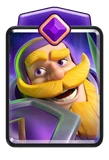
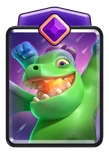
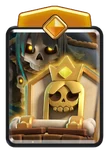

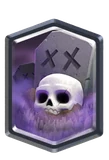

Try it yourself: open the Clash Royale Deck Builder with a Graveyard Poison deck featuring Evo Knight, Evo Baby Dragon and Hero Tombstone, 64.0% in the tracker sample (about 1,300 battles), already loaded. Your cards are safe, so open a deck and play on.
Old Fixes You Can Skip
This page used to suggest logging out of the Facebook app, removing Facebook data on the phone, clearing app data on Android, or loading Facebook through the Puffin browser. It also suggested “Send to Mobile” from a Facebook games page. All of these were for the Facebook connection, which is gone.
- Do not clear Clash Royale data to try to make a Facebook button reappear.
- Do not install a “login fixer” app. It will not bring Facebook back.
- Do not type your Facebook password into any site that offers to link or recover your game.
Here’s the problem: search results still show Facebook fixes from 2016 to 2021. They are out of date.
Scammers are likely to keep using the Facebook story, with fake “reconnect” pages and fake support accounts. The negative effect: a player who finds old advice and trusts it can hand a login to a stranger, and Supercell cannot reverse that.
For Android account problems, see Google Play sign-in fixes. To move between phones, read how to transfer Clash Royale.
Go deeper: Related reading: the Supercell ID guide, the Google Play sign-in fixes and how to transfer your account. The Clash Royale Deck Builder is the quickest way to build your own version, because it keeps a running average cost.
Frequently Asked Questions
Can you still log in to Clash Royale with Facebook?
No. Supercell announced the end of Facebook login in March 2022.
What replaced Facebook login?
Supercell ID, an email and a six-digit code.
How do you recover an account that was linked to Facebook?
Try Supercell ID with your email addresses, and if that fails, use Help and Support.
Will you lose your account if you cannot log in?
Not necessarily. The account is stored by Supercell. You need a way to prove it is yours.
Is it safe to enter your Facebook password for a fix?
No. The game does not ask for it any more, and sites that do are likely scams.
The Bottom Line
The direction is clear: one Supercell login across all its games. The negative effect: every account system is only as safe as the email behind it, and a player with a weak email password is one phishing message away from losing everything.
The takeaway: Facebook is gone, Supercell ID is the answer, and the time to register is before something goes wrong.
What to watch next: open Settings now, find the Supercell ID box, and make sure it shows an email you can read.
Ready to play? Build your first deck with our step-by-step Clash Royale Deck Builder guide.
Sources
Researched from the following (no links, listed for transparency):
- Supercell, Clash Royale blog: “Facebook Login Is Expiring” (March 10, 2022)
- Supercell, Clash Royale blog: “Sign Up! Stay Safe!” (May 24, 2018, the launch of Supercell ID)
- Clash Ninja, “What is Supercell ID” guide (register and log-in steps)
- Game Rant, how to recover a lost Clash Royale account (April 17, 2024)
- The original clash.world tutorials (2016-2022), used only for the “then” comparison and for the community fixes labelled as such