AI Overview: The Clash Royale Deck Builder is a free tool where you pick eight cards, set Evolution and Hero versions, and check the deck before you play it. It scores attack, defense and balance, shows average elixir, flags recent nerfs, finds counters and ranks your upgrades. Then it gives you one link that copies the deck into the game.
Last Updated: October 2026
Key Points:
- Open a shared link or pick eight cards. The tool fills in the rest of the page.
- The meters and Deck check are rule-of-thumb checks, not win rates.
- Patch risk shows how recently each card was changed.
- The Counter tab suggests decks that beat a deck you pick, using top Path of Legends battles.
- Copy deck link needs all eight cards. Open it on your phone to load the deck in the game.
Table of Contents
What the Clash Royale Deck Builder Does
The Clash Royale Deck Builder is a free page that runs in your browser. You pick eight cards and a tower troop, and the page checks the deck while you build. There is nothing to install and no account to make. You can open it on the Clash Royale Deck Builder page.
The short version: the builder tells you what is wrong with a deck before a loss does. It checks the elixir curve, spots missing roles, shows which cards were patched lately, and finds decks that beat the one you keep losing to. Six tabs do the work: two help you pick cards, and four help you decide whether the deck is any good.
| Tab | The question it answers | Use it when |
| Recommended | Which cards fill the gaps in this deck? | You are stuck at five or six cards |
| All cards | Which card fits this slot? | You want to filter by cost, type, rarity or role |
| Deck check | What is wrong with this deck? | The deck has eight cards |
| Patch risk | Which cards in this deck were changed recently? | You are about to spend gold or shards |
| Counter | What beats the deck that keeps beating you? | One opponent deck keeps winning |
| Upgrades | Which card should be leveled next? | Your profile is loaded and you have gold to spend |
New players can lean on the first three tabs. Anyone with a main deck gets more from the last three. For a ready-made list to load first, our Clash Royale meta page and the free-to-play deck guide both give you a starting point.
Step 1: Load a Deck From a Link or Start From Scratch
Every deck in the builder is stored in the web address, so a link carries the whole deck. Open this deck link and the same eight cards load: Evo Valkyrie (4), Evo Firecracker (3), Skeletons (1), Hog Rider (4), Ice Spirit (1), Tesla (4), The Log (2) and Earthquake (3), with the Tower Princess as the tower troop. In the address, d= lists the card IDs, s= marks each Evolution with a 1 (a Hero is a 2), and t= is the tower troop.
| Build | Cards | Avg elixir | Win rate (sample) |
| Hog Earthquake, two Evolutions | 2.8 | 63.8% (1,999 battles) |



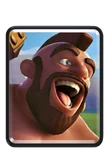



The pattern: this is a Hog Earthquake deck, and every card has a job. Hog Rider is the only win condition, Earthquake breaks the building that stops him, and Valkyrie and Firecracker clear swarms. Skeletons and Ice Spirit keep the deck cycling. What it means: RoyaleTracker listed this build at 63.8% over 1,999 battles in October 2026, so it is a safe deck to learn the tool on. Our Hog Earthquake deck guide explains how to play it.
Starting from nothing is just as easy. Tap a card to add it and tap it again to remove it. Random fills the deck with a balanced mix of roles, and Clear empties it. The page address updates as you build, so you can copy it at any time.
Deck links will keep getting easier to share, and more players will copy a top deck without learning why it wins. The negative effect: when a patch changes one card in that list, the copier has no plan B and keeps losing with a deck that no longer works.
Step 2: Read the Meters and the Elixir Number
Next to the slot strip you get three bars and a number. Attack, Defense and Balance run from 0 to 100, and average elixir sits below them. This deck reads Attack 100, Defense 100, Balance 80 and average elixir 2.8. A line under the buttons also shows the 4-card cycle, which is 7 for this deck.
The 4-card cycle: it is the cost of your four cheapest cards added together. Here that is 1, 1, 2 and 3. Play your Hog Rider, then those four cards, and the Hog is back in hand after 7 more elixir. Why it matters: the lower this number, the more often you can attack, and the less time your opponent has to plan an answer. That is why cheap decks feel so relentless.
How the bars work: Attack rewards one or two win conditions, a big spell, a small spell and a tank. Defense rewards cards that hit air, area damage, a defensive building, a small spell and a tank. Balance looks at average elixir, the mix of troops and spells, and whether you hold at least two cards that cost 1 or 2. The catch: the page says it plainly. These are rule-of-thumb checks, not win rates. A 100 means the deck has no obvious hole. It does not mean the deck wins.
Cycle decks lose a few Balance points because the formula gives its best score to an average between 3.0 and 4.2. This deck earns partial credit at 2.8 and the rest from its card mix. New players who want to learn what a healthy mix looks like can read Clash Royale strategy for beginners, and anyone curious about the fastest decks can read the Hog 2.6 Cycle deck guide.
Step 3: Fix the Gaps With Deck Check
The Deck check tab reads your deck like a checklist. When it finds a problem, a red number appears on the tab. Our Hog Earthquake deck shows no red number. It lists one win condition, three cards that hit air, both a big and a small spell, three cards with area damage, an average of 2.8 called a fast cycle, and a tank.
A bad deck shows what the tab can do. Try this heavy test deck (it is a deliberately bad deck).
| Build | Cards | Avg elixir | Deck check |
| Heavy test deck | 6.0 | 3 problems |
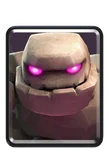
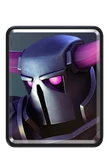



What it flags: three problems. It counts four win conditions and tells you to swap one for support. It finds nothing that hits air and warns that a Balloon or Lava Hound will run you over. It calls the average elixir of 6.0 very heavy and says you will struggle to cycle. It also notes that you have a big spell but no small spell. The fix: where a role is missing, such as air defense, the tab lists cards that fill it, and one tap adds them.
The catch: a warning is a prompt, not a ban. Our Golem beatdown guide, the beatdown deck guide and the Electro Giant guide all show heavy lists that work, because they pay for the weight with cheap support. The test deck above has none of that, so every warning is fair.
For a closer look at its cards, read the pages for Golem, P.E.K.K.A, Mega Knight, Night Witch, Bowler, Giant and Elixir Collector.
Step 4: Swap Cards and Set Evo, Hero and Tower Troop
The move: open Recommended, find the group labeled “your deck needs this”, and fill it first. The tab sorts cards into eight groups: win conditions, cards that hit air, swarm control, small spells, big spells, tanks, defensive buildings and cheap cycle cards. Once your deck has three cards, the groups you still lack move to the top. Read one card page before you add anything.
Win conditions run from fast to slow. Hog Rider, Miner, Goblin Barrel, Ram Rider and Balloon suit cycle decks. Giant, Royal Giant, Golem and Graveyard suit slower decks.
For air defense, the tab lists Musketeer, Baby Dragon, Inferno Dragon, Electro Dragon, Electro Wizard, Magic Archer, Mega Minion, Dart Goblin, Skeleton Dragons, Executioner, Wizard and Witch. Swarm control also includes Valkyrie, Dark Prince and Bowler.
Spells split by size. Small spells are Zap and Barbarian Barrel. Big spells are Fireball, Poison, Rocket and Earthquake. For a defensive building, try Cannon, Tombstone, Inferno Tower or Goblin Cage. Cheap cycle cards include Skeletons, Ice Spirit and Heal Spirit.
A few cards sit in no group. Sparky, Fisherman, Bandit, Royal Ghost, Rascals, Guards, Goblin Gang, Goblin Hut, Skeleton Army and Tornado are easier to find in the All cards tab, where you can filter by cost, type, rarity or role, or search by name.
Under every card in your deck you will see Evo and Hero buttons when that card has them. Tap one to switch the card to that version. The buttons grey out when the special slots are full. Our deck slots guide explains the rules. A deck can also hold only one Champion, such as Mighty Miner.
Below the slot strip you will find the tower troop buttons: Tower Princess, Cannoneer, Dagger Duchess and Royal Chef. The one you choose travels inside the copy link.
Step 5: Check Patch Risk Before You Commit
The Patch risk tab lists every card in your deck with the balance changes it received between May and October 2026. Each card gets a label of None, Low, Medium or High, and the deck gets an overall Exposure meter. If you switched a card to its Evo or Hero version, the tab adds that version’s changes and skips the other version’s.
Our Hog Earthquake deck reads Medium. Evo Valkyrie lost half of its tornado damage in August, and Skeletons got a tighter spawn spread on October 6. Ice Spirit lost a little hitpoints in August. Hog Rider and Evo Firecracker show no change at all.
What it means: a high label does not mean a bad card. A heavily patched card is often a strong one that Supercell keeps tuning, so High says the card is still moving, not that it is weak. When a card reads High, the tab shows cards with the same role and no recent change. Several spells were trimmed against Crown Towers in 2026, and you can read what that did on the Fireball, Poison, Rocket and Zap pages. The Miner page covers a tower-damage nerf of its own.
Patch risk will matter more next season, not less. Supercell trimmed cheap cycle cards in both August and October, and two of them, Skeletons and Ice Spirit, sit in this deck. If small cuts keep coming, the 2.8 average creeps up. The negative effect: a cycle deck that slowly gets heavier loses the speed that made it strong, and players may not notice until they start losing.
For the bigger picture, our State of Clash Royale piece, the most used cards list, the underrated cards list and the overrated cards piece show where the game is moving. When a new card arrives, how to unlock new cards fast tells you how to get it.
Step 6: Use the Counter Tab to Beat a Deck
The short version: stuck against one deck? Open the Counter tab and pick the cards you keep seeing, even just one or two. The tab reads a sample of battles between top Path of Legends players and shows the decks and cards that win most against those cards. It also gives a short, rule-of-thumb read of the threat, such as a reminder to carry two cards that hit air against flying cards.
Each result shows a win rate against those cards next to the deck’s normal win rate, and how many battles sit behind it. Rows with fewer than 30 battles are faded. A banner warns you when the sample is small. Press Load into builder to try a deck, or use the build button to let the tool pick eight cards with the best results against them, under an average of 4.4 elixir.
Counters work best when you know the archetype. Facing Log Bait or Hyperbait? Check the bait guides. Against Miner, Rocket cycle and Hog 2.6, the fast decks, speed matters most. Against X-Bow and Mortar, read the siege guides.
Slow decks have their own guides: Giant Graveyard, Royal Giant, Sparky, Mega Knight and P.E.K.K.A bridge spam. Air and swarm decks are covered in LavaLoon, LumberLoon, freeze decks and Splashyard. The rest are the Three Musketeers, Royal Hogs, Elite Barbarians and Goblin Drill guides, plus Lightning or Poison for spell choices.
Counter tools will push the top ladder toward a handful of answers. When many players load the same best-against deck, the meta narrows, and the decks that beat that answer become popular next. The negative effect: a counter built from a small battle sample can look strong for a week and fall apart once everyone has it, and players who copy it without learning the matchup get stuck.
Step 7: Plan Upgrades With Your Profile
The Upgrades tab needs your profile. Type your player tag (find it under your name in the game) and press Load profile, or press Random top player to load a leaderboard player’s deck and card levels. The current-deck button copies your in-game deck into the builder, Evolutions and Hero included. The owned-cards box hides every card you do not have. Your tag goes to the official Clash Royale API through our server, and it is saved only in your browser.
The catch: with a deck loaded, the tab names the best next upgrade, the weakest link, and the gold it would take to max every card in the deck. Add your gold and it plans a spending order. It ranks by role, level gap and cost, and it counts a card less if it was nerfed in the last 45 days. It is a rule of thumb, not a simulation, so treat the first pick as a strong hint and not an order.
Costs follow the level 16 cap. For the full table, read Clash Royale upgrade costs and how to upgrade cards in a smart order. To level faster, see how to level up fast. To fund it, see how to get gold, what to spend gems on, free gems and every chest. Missing copies of a rare card? Read the drop rates and how to get Legendary cards pages.
Upgrade planners will tempt players to chase the next fix instead of one main deck. The negative effect: gold spread across many cards leaves the main deck under-leveled in Ranked, where card levels are not normalized, and a nerf can land right after you spend.
Step 8: Copy the Deck Into the Game
The short version: when the deck has eight cards, Copy deck link turns on. It builds a link that carries your cards, the Evo and Hero choices, and your tower troop. Open that link on a phone with Clash Royale installed, and the game asks which deck slot should hold the deck. On a computer, send the link to your phone first.
Share URL copies the builder address, so a friend sees the same deck. Copy text gives a plain list with the average elixir and tower troop, ready for a chat or a stream. Playing on a computer? Our guides for PC and Mac show what works, and streaming Clash Royale covers sharing decks on a stream.
Moving to a new phone? Use Supercell ID, follow the Android to iPhone transfer guide, and check the Google Play sign-in fixes or the Facebook login guide if you cannot get in.
The Whole Process in Seven Moves
The quick version: a full pass takes about five minutes. Do it in this order and you never skip the step that saves you gold.
- Load a deck from a link, or tap eight cards.
- Read Attack, Defense, Balance, average elixir and the 4-card cycle.
- Open Deck check and clear every red number.
- Open Patch risk and swap any card that reads High for a calm one with the same role.
- If one deck keeps beating you, open Counter and load the best answer.
- Load your profile, then open Upgrades to see what to level next.
- Press Copy deck link and open it on your phone.
Mistakes to Avoid
- Treating the meters as win rates. A score of 100 means no obvious hole, not a win.
- Ignoring Exposure. Gold spent on a card patched last week is easy to waste.
- Trusting a faded Counter row. Fewer than 30 battles is a hint, not a fact.
- Skipping the Evolution and Hero check. Load into builder leaves those slots empty, so set them yourself. Check that you own the upgrade first, and read the deck slots guide if the buttons are greyed out.
- Forgetting the tower troop. It travels in the copy link, so pick it on purpose.
Use the Builder for Clan Wars
The same checks help in Clan Wars, where you build several decks that share no cards. Build one deck, then use the Recommended tab to see which roles you still need for the next. Read the Clan Wars guide, plus the lists of boat defense cards and more boat defenses before you lock in a war deck.
Our combos guide shows five pairs that work right now. Test each in the builder in seconds.
Frequently Asked Questions
How do you use the Clash Royale deck builder?
Tap eight cards, then read the meters and the Deck check tab. Press Copy deck link and open it on your phone to load the deck in the game.
Is the Clash Royale deck builder free?
Yes. It runs in your browser with no download, and loading your profile is optional.
How do you copy a deck into Clash Royale?
Press Copy deck link, send it to your phone and open it. The game asks which deck slot should hold the deck.
Can you build a deck with only the cards you own?
Yes. Load your player tag, then tick the owned-cards box. The tabs then show only cards in your collection.
What is a good average elixir for a deck?
Cycle decks sit under 3.4. The tool calls 3.4 to 4.0 balanced and 4.1 to 4.6 heavy, and it warns you above 4.6.
Does the deck builder predict win rates?
No. The meters, Deck check and Patch risk are rule-of-thumb checks. Win rates appear only in the Counter tab.
The Bottom Line
Work in order: load a deck, read the meters, fix the gaps, check patch risk, then copy it. Use Counter and Upgrades once the deck is yours.
Related reading on this topic: Why Your Clash Royale Deck Keeps Losing (And How to Fix It).
Related reading on this topic: Is Your Deck Losing Games? 5 Weak Spots Our Checker Finds.
Sources
Researched from the following (no links, listed for transparency):
- CryptoAIMeta Deck Builder (the tool itself): tabs, meters, Deck check rules, Patch risk, Counter and Upgrades logic as built, October 2026
- RoyaleTracker, deck archetypes and best Hog Earthquake decks (October 2026 tracker samples)
- SeeMeta, Clash Royale balance changes May to October 2026 (the data behind the Patch risk tab)
- RoyaleAPI blog, “Deck Builder – New Feature” (how a deck link opens in the game and asks for a deck slot)
- Supercell, Clash Royale release notes, March 2026 update (Evo, Hero and Wild slots)
- Supercell, Clash Royale release notes, October 2026 balance changes
- RoyaleTracker, best free Clash Royale tools (what other deck tools offer)