AI Overview: You can play Clash Royale on a Mac in two ways: use iPhone Mirroring to control your iPhone from the Mac, or run an Android emulator such as BlueStacks. There is no official Mac version, and Supercell says Google Play Games is only for Windows. Both routes log in with your Supercell ID, and iPhone Mirroring is not available in the EU.
Last Updated: October 2026
Key Points:
- There is no official Mac version of Clash Royale.
- Supercell’s PC release is Windows only, through Google Play Games.
- iPhone Mirroring needs macOS Sequoia 15, iOS 18 and an Apple silicon or T2 Mac, and is unavailable in the EU.
- Android emulators such as BlueStacks and MuMuPlayer run on Mac, but they are third-party software.
- Log in with a Supercell ID on either route so your cards and clan come with you.
Table of Contents
Is There a Clash Royale Mac Version?
No. Supercell’s PC release covers Windows only. The company states: “Google Play Games is only for Windows.” Mac players have to use a workaround.
Both routes below load your normal account through Supercell ID. If you have not registered one, start with what Supercell ID is and how to use it.
The facts: there is no Mac app, there are two workarounds, and one login covers both. What it means: pick by what you own. Still unknown: whether Supercell will ever release a Mac version.
Mac gaming is slowly improving as Apple adds features like iPhone Mirroring, but Supercell has not announced a Mac release, and its Windows beta suggests PC support comes first. The negative effect: workarounds can break after an update, and Mac players are always one operating system change away from losing their setup.
Option 1: iPhone Mirroring
Apple’s iPhone Mirroring lets you use your iPhone on your Mac, with your mouse and keyboard. The iPhone stays locked while you do.
| You need | Details from Apple |
| Mac | macOS Sequoia 15 or later, Apple silicon or T2 chip |
| iPhone | iOS 18 or later, with a passcode |
| Accounts | Same Apple Account on both, with two-factor authentication |
| Connections | Bluetooth and Wi-Fi on for both devices |
| Region | Not available in the European Union |
A recent Mac, a recent iPhone, and the same Apple Account on both.
Apple notes that game controllers must be connected to the iPhone, not the Mac. Camera, microphone and Face ID do not work through mirroring.
Apple is likely to widen iPhone Mirroring over time, perhaps to more regions. The negative effect: mirroring may still add a small delay, and a game that depends on quick taps can punish even a short one.
The catch: Apple does not say anything about gaming speed, and this review did not test Clash Royale through mirroring. Try a few casual battles before you play anything that matters.
Why it matters: this route uses your real iPhone account and the official app, so it avoids the third-party software of the next option.
The move: if you own an iPhone and live outside the EU, try mirroring first.
Option 2: An Android Emulator
An emulator is a program that acts like an Android phone on your computer. BlueStacks is the best known, and 1v9.gg’s guide describes signing in with Google, installing Clash Royale from Google Play, and playing with the mouse. MuMuPlayer Pro is another that supports Apple silicon.
- Download the emulator from its official site.
- Sign in with a Google account when asked.
- Install Clash Royale from Google Play inside the emulator.
- Log in with your Supercell ID. Your account loads.
The catch: emulators are third-party software. They are not part of Supercell’s announced releases, so do not install modified versions, and never type your login code into anything that does not come from the game itself.
Quick math: check your free space first. An emulator plus the game can use several gigabytes, and a slow Mac makes battles stutter.
The long-standing worry is that emulator use can look like cheating to a game company. Supercell has not published a statement saying emulators are banned for Clash Royale in our research, but its own PC beta may reduce the need for them. The negative effect: if rules tighten, players who rely on an emulator risk a ban or lose access.
Can You Use the Mac App Store?
Some Apple silicon Macs can run iPhone and iPad apps from the Mac App Store. Whether Clash Royale shows up there depends on whether Supercell allows it, and we could not confirm it. Search the App Store on your Mac and look at the iPhone and iPad Apps tab.
Here’s the problem: many websites claim a “Clash Royale Mac download”. Without an official release, those files are not from Supercell.
| Deck | Cards | Avg elixir | Win rate (sample) |
| Royal Giant deck | 3.0 | 61.1% (638 battles) |
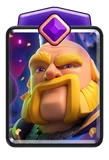
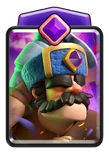


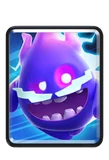

Try it yourself: open the Clash Royale Deck Builder with a Royal Giant deck featuring Evo Royal Giant, Evo Hunter and Hero Barbarian Barrel, 61.1% in the tracker sample (638 battles), already loaded. Whichever route you pick, you can plan a deck here first.
Which Route Should You Pick?
| Route | Best for | Downside |
| iPhone Mirroring | Casual play and streaming from your own phone | Needs an iPhone, Apple silicon or T2 Mac, not in the EU |
| Android emulator | Players without an iPhone, or in the EU | Third-party software, more setup |
For recording or streaming, see how to stream Clash Royale and how to record the Clash Royale screen with a Mac. For Windows, read how to play Clash Royale on PC.
What to watch next: Apple’s mirroring page for new regions, and Supercell’s news for any Mac announcement.
Go deeper: Related reading: how to play on PC, the Supercell ID guide and how to transfer your account. You can build a variation in the Clash Royale Deck Builder, which shows the average cost as the deck fills up.
Frequently Asked Questions
Can you play Clash Royale on a Mac?
Yes, through iPhone Mirroring or an Android emulator. There is no official Mac version.
Is there a Clash Royale app for Mac?
No official one. Supercell’s PC release is Windows only.
Does BlueStacks work on Mac for Clash Royale?
According to 1v9.gg, yes. You sign in with Google and then your Supercell ID.
Is iPhone Mirroring available in Europe?
Not at the time Apple wrote its page. Check Apple’s current notes.
Will your account carry over to the Mac?
Yes, if you log in with a Supercell ID.
The Bottom Line
The takeaway: use iPhone Mirroring if you have an iPhone and can, an emulator if you must, and always log in with a Supercell ID.
Ready to play? Build your first deck with our step-by-step Clash Royale Deck Builder guide.
Sources
Researched from the following (no links, listed for transparency):
- Supercell news: “Clash Games Live on PC” (October 23, 2023: Google Play Games beta, Windows only, Supercell ID, one device at a time)
- Apple Support: iPhone Mirroring requirements, limits and setup
- 1v9.gg, how to play Clash Royale on Mac
- Supercell, Clash Royale blog: “Sign Up! Stay Safe!” (May 24, 2018, the launch of Supercell ID)
- The original clash.world tutorials (2016-2022), used only for the “then” comparison and for the community fixes labelled as such